Ui/UX

DESIGNING

“Learn to design stunning, user-friendly websites and apps with our UI/UX Designing Course. Master design principles, user research, wireframing, prototyping, and industry tools like Figma and Adobe XD. Build real-world projects, create a professional portfolio, and launch your career as a certified UI/UX designer.”

Ui/UX

DESIGNING

“Learn to design stunning, user-friendly websites and apps with our UI/UX Designing Course. Master design principles, user research, wireframing, prototyping, and industry tools like Figma and Adobe XD. Build real-world projects, create a professional portfolio, and launch your career as a certified UI/UX designer.”

User Interface (UI)

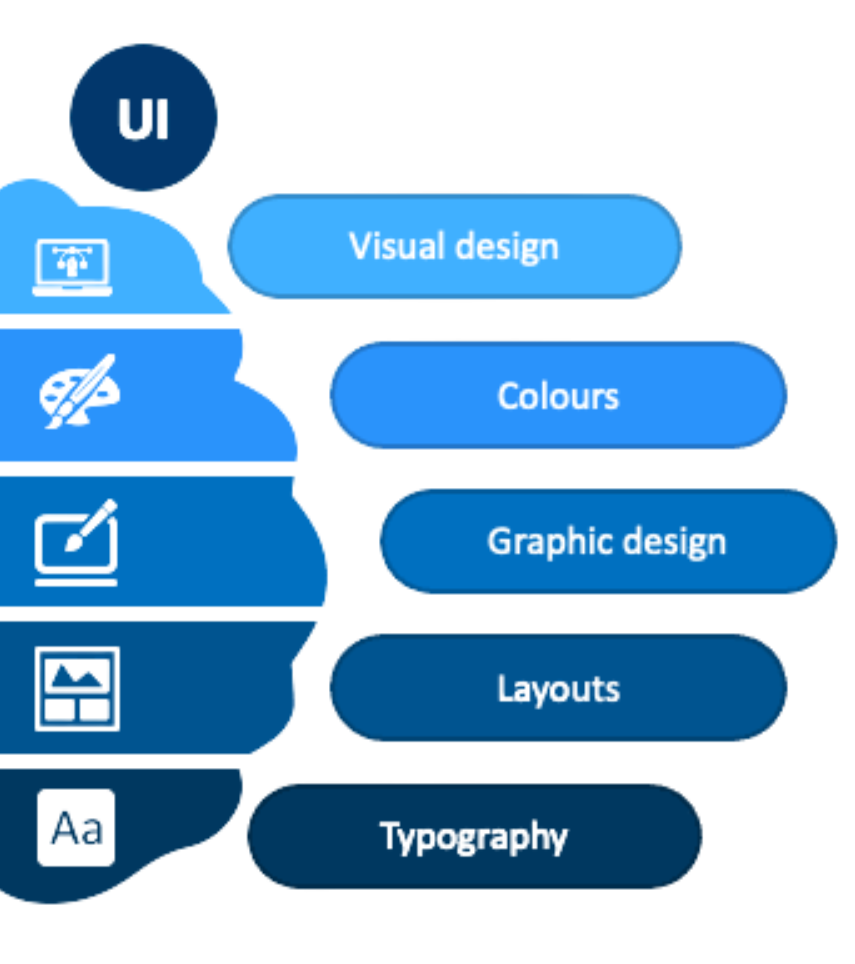
UI refers to the visual design of a digital product — the colors, typography, buttons, icons, spacing, and overall layout you see on a screen. A good UI makes the interface attractive, easy to understand, and consistent across all devices. It focuses on the look and feel of the product’s front end, ensuring it’s visually appealing and easy to navigate.

User Experience (UX)

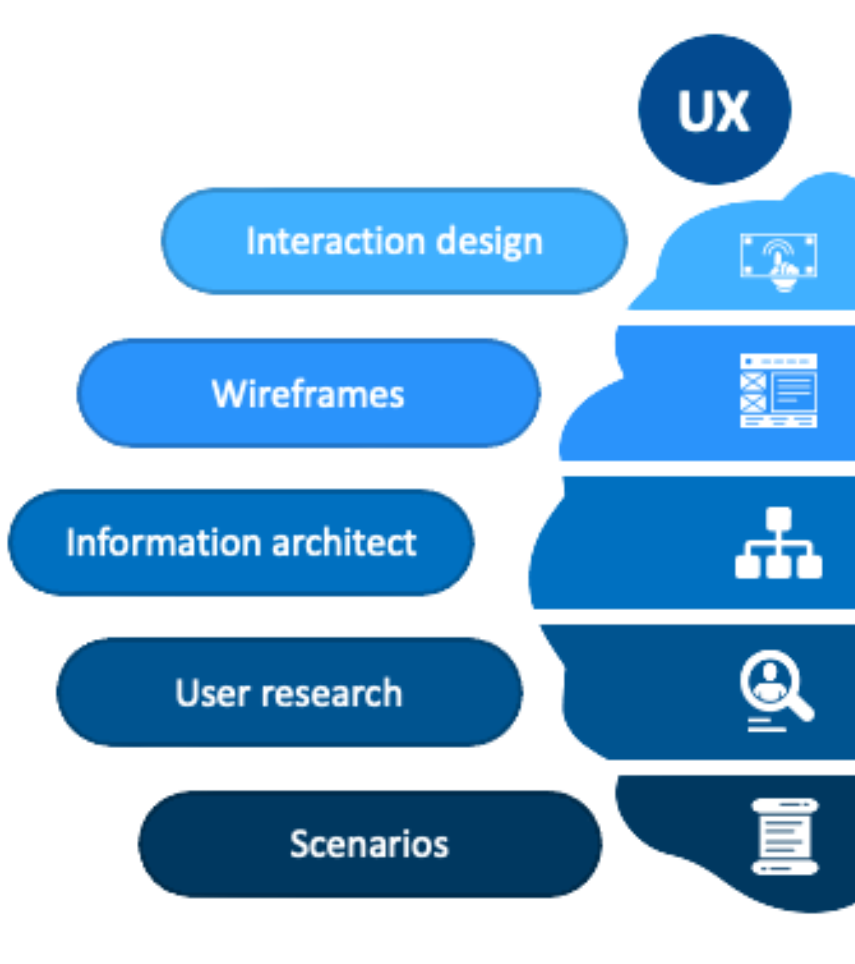
UX is about how a product works and how people feel when using it. It involves researching user  creating wireframes, building prototypes, and testing designs to make sure the experience is logical, and enjoyable. A strong UX ensures users can achieve their goals quickly and without frustration — making the product not just functional, delightful to use.

what is ui/ux ?

what is ui/ux ?

The UI/UX Design Course is a complete learning journey into the world of digital design, where creativity meets functionality. This course is designed to help you understand, plan, design, and deliver exceptional user experiences that not only look beautiful but also work seamlessly.

You’ll explore UI (User Interface) — the visual aspects of a digital product such as colors, typography, icons, and layouts — and UX (User Experience) — the strategy, research, and flow that make a product intuitive and enjoyable to use.

Throughout the program, you will:

  • Learn industry-standard design principles to create modern, responsive interfaces.

  • Master essential tools like Figma, Adobe XD, and Miro for designing and prototyping.

  • Understand user psychology and conduct research to design for real user needs.

  • Build wireframes, prototypes, and interactive mockups for web and mobile.

  • Test and refine designs through usability testing and feedback analysis.

  • Work on real-world projects to create a portfolio that showcases your skills to potential employers or clients.


  • Learn industry-standard design principles to create modern, responsive interfaces.

  • Master essential tools like Figma, Adobe XD, and Miro for designing and prototyping.

  • Understand user psychology and conduct research to design for real user needs.

  • Build wireframes, prototypes, and interactive mockups for web and mobile.

  • Test and refine designs through usability testing and feedback analysis.

  • Work on real-world projects to create a portfolio that showcases your skills to potential employers or clients.

WHAT YOU WILL LEARN ?

Goal: Master the visual elements that make a product attractive and easy to use.

  • Visual Design Fundamentals: Learn typography pairing, color theory, grid systems, and spacing for a clean and professional look.

  • UI Layouts: Create responsive designs for web, mobile, and tablet screens.

  • Design Systems & UI Kits: Maintain visual consistency by building reusable design components.

  • Iconography & Imagery: Choose the right icons, illustrations, and images to enhance usability and branding.

  • Micro-interactions: Add subtle animations, hover effects, and transitions to improve user engagement.

  • Accessibility in UI: Ensure color contrast, readable text, and visual clarity for all users, including those with disabilities.

Goal: Understand user behavior and create experiences that are intuitive and satisfying.

  • Design Thinking Process: Learn to approach design problems with a human-centered mindset.

  • User Research: Conduct interviews, surveys, and competitor analysis to identify user needs.

  • Empathy Mapping: Visualize user emotions, goals, and pain points.

  • User Personas: Build fictional but research-based profiles to guide design decisions.

  • User Journeys & Flowcharts: Map how users navigate through the product step-by-step.

  • Information Architecture: Organize content so users can find what they need easily

Goal: Convert ideas into testable designs before final development& Gain hands-on skills in the tools used by top UI/UX professionals.

  • Clickable Prototypes: Interactive mockups using tools like Figma & Adobe XD.

  • Feedback & Iteration: Gather feedback from users or mentors and refine designs.

  • Figma: For wireframing, prototyping, and collaboration.

  • Adobe XD: For interactive prototypes and UI design.

  • Miro: For brainstorming, journey mapping, and team collaboration.

  • Notion / Trello: For project and content organization.

Goal: Build a professional brand and get job-ready.

  • Creating a Design Portfolio: Showcase your best projects with clear case studies.

  • Presenting Your Work: Learn how to explain design decisions to clients or interviewers.

  • Freelancing Tips: How to find clients, price your work, and manage projects.

  • Job Preparation: Resume optimization, LinkedIn profile setup, and mock interviews.

COURSE MODULE

“Master UI/UX design fundamentals, prototyping, usability testing, and cybersecurity principles to create secure, user-friendly, and impactful digital experiences.”

Introduction to UI/UX & Design Thinking

  • Understanding the difference between UI & UX

  • Overview of the design thinking process

  • Real-life examples of good & bad design

UX Fundamentals

  • User research methods & tools

  • Defining problems and setting design goals

  • Creating personas & mapping journeys

UI Fundamentals

  • Visual hierarchy and layout principles

  • Typography, colors, and icon styles

  • UI kits and style guides

Wireframing & Prototyping

  • Low-fidelity sketches

  • High-fidelity interactive prototypes

  • Feedback loops and iterations

Usability & Accessibility

  • Conducting user tests

  • Understanding accessibility guidelines (WCAG)

  • Making designs inclusive for all

Real-World Projects & Portfolio

  • Mobile app design project

  • Website redesign project

  • Case study presentation

Tools You Will Master

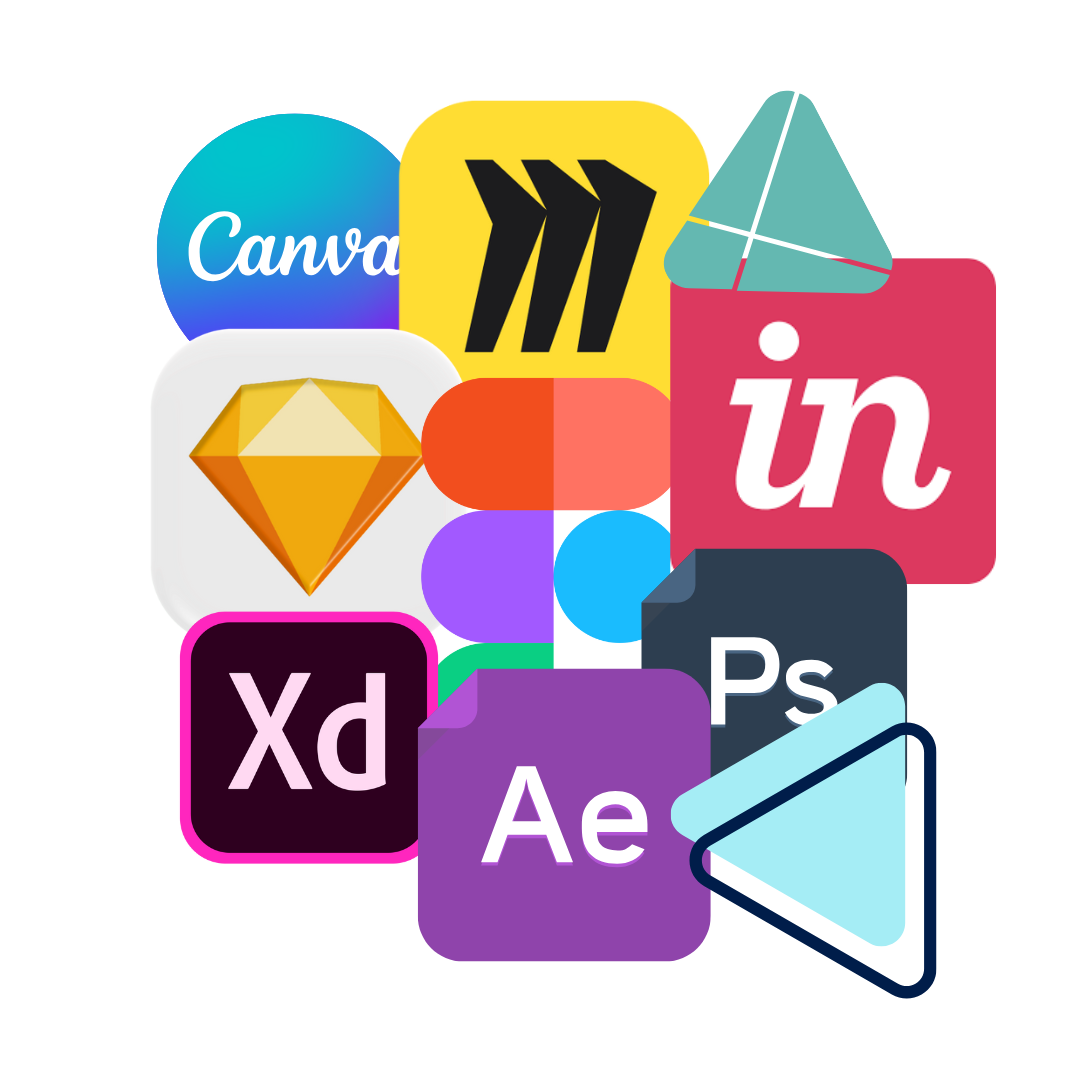
  • Figma – For collaborative interface design and prototyping

  • Adobe XD – To create interactive prototypes and wireframes

  • Sketch – Vector-based UI design for Mac users

  • InVision – For prototyping, collaboration, and design handoff

  • Miro – Online whiteboard for brainstorming and user journey mapping

  • Zeplin – Smooth handoff of design assets to developers

  • Canva (UI Assets) – Quick mockups and design presentations

  • Additional Productivity Tools:

    • Notion / Trello – For project planning, task tracking, and managing design workflows.

    • Zeplin – Bridges the gap between designers and developers by providing specifications.
  • Figma – For collaborative interface design and prototyping

  • Adobe XD – To create interactive prototypes and wireframes

  • Sketch – Vector-based UI design for Mac users

  • InVision – For prototyping, collaboration, and design handoff

  • Miro – Online whiteboard for brainstorming and user journey mapping

  • Zeplin – Smooth handoff of design assets to developers

  • Canva (UI Assets) – Quick mockups and design presentations

  • Notion / Trello – For project planning, task tracking, and managing design workflows.

  • Zeplin – Bridges the gap between designers and developers by providing specifications.
  • Additional Productivity Tools:

Career

Opportunities & Projects

  • Work as a UI Designer, UX Designer, Interaction Designer, or Product Designer

  • Specialized roles like Secure UX Consultant or Design Strategist for FinTech & Healthcare apps

  • Hands-on projects:

    • Designing a secure banking app

    • Creating a safe e-commerce checkout flow

    • Building a mobile app with privacy-first design

  • Work as a UI Designer, UX Designer, Interaction Designer, or Product Designer

  • Specialized roles like Secure UX Consultant or Design Strategist for FinTech & Healthcare apps

  • Hands-on projects:

    • Designing a secure banking app

    • Creating a safe e-commerce checkout flow

    • Building a mobile app with privacy-first design

Why Choose This Course?

  • UI + UX + Cybersecurity Integration – Not just design, but also learn how to make your interfaces safe, secure, and trusted by users.

  • Hands-On Learning – Work on real-life projects, prototypes, and case studies to build a strong professional portfolio.

  • Master Industry Tools – From Figma and Adobe XD to InVision, Sketch, and Zeplin – get practical training on all leading tools.

  • Expert Mentorship – Learn directly from industry professionals with years of experience in design and digital security.

  • Career-Focused Approach – Gain job-ready skills that open doors to UI/UX Designer, Product Designer, and Cybersecurity Design Specialist roles.

  • Certification & Recognition – Earn a professional certificate that adds value to your resume and boosts career opportunities.

  • Future-Ready Skills – With businesses prioritizing both design and security, this course prepares you for the next era of digital experiences.

ertdfrug

Frequently Asked Questions

No, coding is not mandatory. However, basic knowledge of HTML/CSS can be an added advantage.

Yes! This course is designed for both beginners and professionals who want to upskill in UI/UX and cybersecurity.

Yes, you will receive an industry-recognized certificate that helps you stand out in the job market.

The course typically runs for 4–6 months depending on learning pace and chosen program format (offline).

You’ll work on real-world projects like designing a secure mobile banking app, e-commerce website, and user-friendly dashboards.

Yes, guidance for portfolio building, interview preparation, and job opportunities will be provided.

Frequently Asked Questions

No, coding is not mandatory. However, basic knowledge of HTML/CSS can be an added advantage.

Yes! This course is designed for both beginners and professionals who want to upskill in UI/UX and cybersecurity.

Yes, you will receive an industry-recognized certificate that helps you stand out in the job market.

The course typically runs for 4–6 months depending on learning pace and chosen program format (offline).

You’ll work on real-world projects like designing a secure mobile banking app, e-commerce website, and user-friendly dashboards.

Yes, guidance for portfolio building, interview preparation, and job opportunities will be provided.

What Our Students Say

"This course completely changed my perspective on design. The hands-on projects helped me build a strong portfolio and land my first internship."

Ritika Sharma UI/UX Designer Intern

"I loved how the course combines UI/UX with cybersecurity. Now I can confidently design secure, user-friendly apps for my clients."

Aman Verma Freelance Product Designer

"The mentorship and tools training were excellent. I had zero design background, but today I can create prototypes and present them like a pro."

Priya Mehta Working Professional

"As a developer, I wanted to learn design basics. This course not only taught me UI/UX but also how to keep apps safe from security issues."

Kunal Patel App Developer

"The projects on banking apps and e-commerce websites were very practical. The certificate boosted my resume and helped in interviews."

Sneha Kapoor Graduate Student
Scroll to Top
Contact Form Demo